
GETTING STARTED WITH OSC
Pre-requisites
Open source contribution requires you to know basic git commands and also knowing how to navigate your way on Github. You can check out my blog on Git & GitHub, to get the basics and make sure you are aware of what is OSC?.
Your first contribution
It doesn't matter whether you are a beginner or an experienced developer, you can always get started with OCS by following steps:
1. Search for any repositories on GitHub of any language you know or if you are a beginner then search the repos with the tag 'first-good-issue'.
2. After selecting a repo, follow the guidelines in the file named 'contributing.md'(or contribution.md). Some repo won't have such files and you can simply go ahead to issues section.
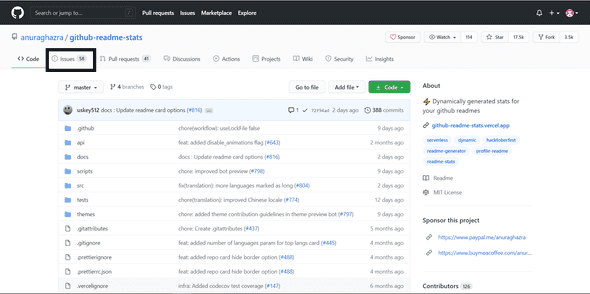
3.
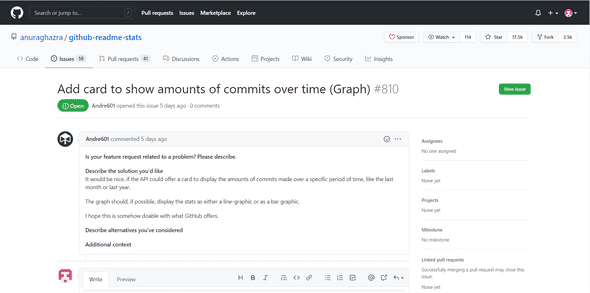
Head over to issues section and click on any issue to read
the complete description. Try to undestand the issue and
look out for the bug in the source code available. You can
create a new issue if you find any bug or wish to add a new
feature.
[Optional] Comment “I want to contribute to this issue” so that it can be assigned to you and after that, you can start working on it. It depends on the owner how he wants to contribute.
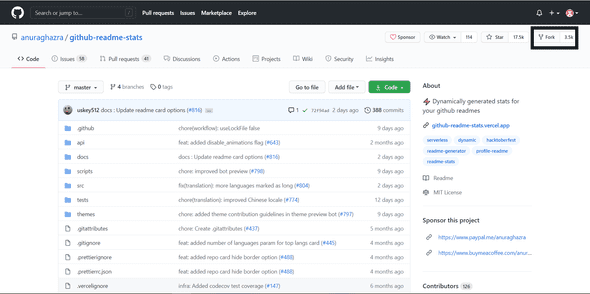
4. Fork the repo. Forking means you are creating a copy of the existing repo into your account remotely. So any changes done to this forked repo will not affect the main repo(from which it was forked).
5.Clone this forked repo(from your account). Cloning means your are creating a copy of this repo on your local machine(pc) so that you can work on the code using an editor of your prefered choice.
6. Make appropriate changes such as fixing a bug or adding new feature etc. Make sure you don't spam while contributing to open source or don't add invalid comments such as "This line of code is fixed by me" or "please accept my pull request" or any kind of spam messages.
7. Once you have made the changes, checkout with a new branch(keep appropriate names), add all the files and commit the changes. Now push the code with the newly created branch name to your repo.
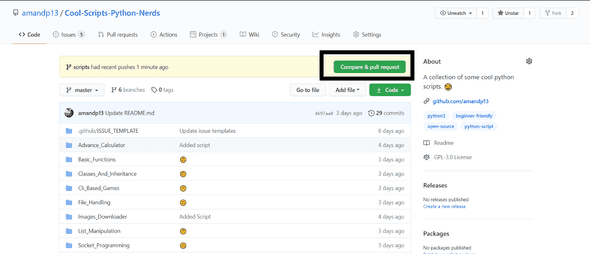
8. Come back to the main GitHub repo(the owner's repo) and you see something like shown in the image. Click on "Compare & Pull Request" button to see the changes and submit the changes you have done.
9. Add a short title and write a description of what changes you have made. If possible, add screenshots which preview the changes. Then click "Create pull request" button to submit your changes.
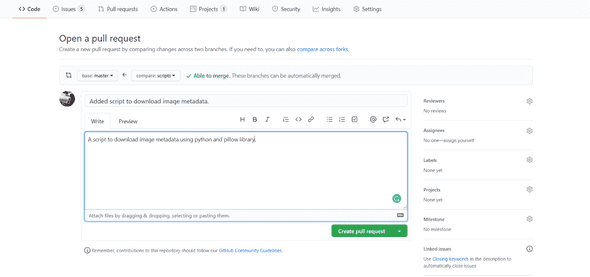
Well, that's it! You have created your pull request. Now wait until the owner reviews your code and merges it to the main branch(if it's acceptable ). Once it's accepted and merged to the main branch then congratulations, you have contributed to an open source.
That's it from this blog post. If you liked it then do share this blog with your friends or people who wanna get into programming world. Thank You!